Skip to content
Powered by Pagefind
English

Hood Warfare 2 Wiki

Hood Warfare 2 Wiki

Hood Warfare 2 is Trapstar Games' Steam PC shooter, released October 8, 2026. This independent wiki covers platforms, PC requirements, modes, party invites, guns, maps and troubleshooting, with sources and version notes.

Watch the official trailer
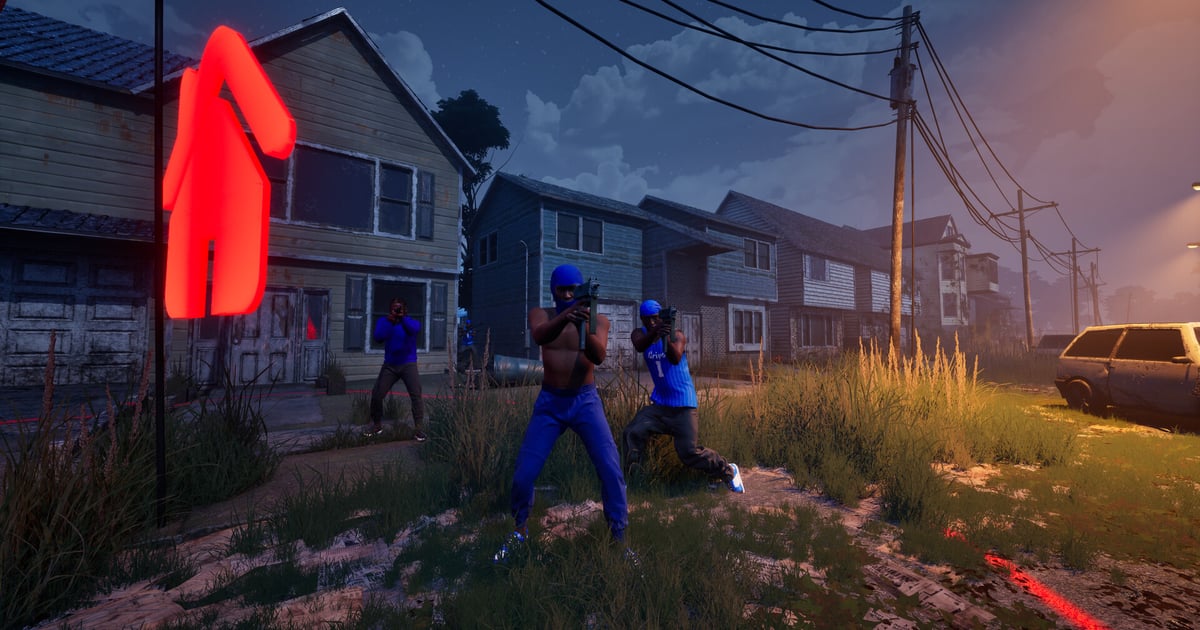
Armed characters on a residential street in Hood Warfare 2, from an official Steam screenshot
Official Steam screenshot · source

Search the wiki

Find a mode, weapon unlock, map guide, or troubleshooting step.

Browse guides

Latest checked update · checked October 19, 2026

Update 1.0.1.8

Draco and ARP join the gun list. Party invitations from 1.0.1.7 let friends queue together.

  • Draco and ARP added; unlock requirements still to verify
  • Every gun starts with an extra magazine of ammunition
  • Chain Snatch target is 75; friendly recovery adds no point
  • Grenades, microphone network code and support rewards adjusted

Core topics

Hood Warfare 2 Wiki Guides

Browse all

Weapons and unlocks

Find recorded guns and unlocks, then check progression, attachments and skins.

Maps

See named environments and official screenshots; check the current in-game rotation.

Official media

Hood Warfare 2 Official Trailer

Official Steam trailer. A quick look at combat and environments before your first match.

Click play to load the official stream.

Watch on Steam · © Trapstar Games; rights retained by the respective owner.

The trailer shows the game's presentation, not a test of the current patch. Compare the six game modes, check PC requirements, and read the latest checked changes before buying.

Hood Warfare 2 questions

Platforms, bot practice, private lobbies, joining, audio, and unlocks.

The confirmed release is Windows PC through Steam, app 5155360. See the platform guide for dated PS5, PS4, Xbox and Mac status.

Open platform guide

Yes. Steam says match setup can add bots to fill teams.

Read the bots guide

Yes. Patch 1.0.1.7 adds party invitations for queueing and joining together. Private password matches are a separate option.

Set up a friends lobby

Use the current available build, then identify whether the failure involves a Party invitation, room visibility, a password, a crash or a kick. Follow the joining checklist for that symptom; patch notes report fixes but do not guarantee every join failure is resolved.

Open the joining checklist

Use the current available build and select the intended audio output device in Settings. If sound works but your mic does not, check the microphone input, voice channel and your current push-to-talk binding. Patch reports do not guarantee every audio or voice issue is resolved.

Check audio and voice chat

Steam says matches and leveling raise reputation, which unlocks more weapons and equipment.

Review leveling and unlocks